Bambu Lab filament tracking has a gap that every AMS owner eventually hits: the printer's idea of how much filament is left and reality quietly drift apart. If you've ever had the AMS report a comfortable margin and then watched a multi-color print run a slot dry, this guide is about closing that gap.
Does the AMS actually know how much filament is left?
Only approximately, and only sometimes. Two different things are going on:
- Official Bambu spools carry an RFID tag that tells the AMS what the filament is and its original size. Remaining amount is then estimated from usage — it's bookkeeping, not measurement. Partial spools, purges, failed prints and manual feeds all nudge the estimate away from reality over time.
- Third-party spools have no Bambu RFID tag at all. The AMS can't identify them, and remaining-filament estimates are rough at best. This is the case makers complain about most on Bambu's own forum — and it's most people's case, because most stashes are mixed-brand.
None of this is a defect — estimating from motor feed is genuinely hard. It just means the AMS readout is a hint, not a number you'd bet an overnight print on.
If you print single-color and rarely run a spool down to its last few grams, that margin of error rarely matters — weigh-based tracking below is for mixed-brand AMS setups and multi-color prints, where a wrong estimate actually costs you a failed print.
The fix: weigh-based tracking
A scale doesn't estimate. Weigh the spool, subtract the empty spool weight, and you have the actual grams remaining — the full method is in our guide to how much filament is left on a spool. Weigh-based tracking works identically for official Bambu filament and any third-party brand you feed the AMS, because it doesn't care about RFID at all.
The catch is bookkeeping: an AMS means four spools loaded at once (eight or more with multiple units), plus the shelf queue behind them. Tracking that in your head is how slots run dry.
How SpoolVault tracks a Bambu setup
SpoolVault is a filament tracker for iPhone and Android built around exactly this workflow:
- Bambu Lab catalog built in — PLA Basic, PLA Pure, PETG Basic and more, with colors and the 250 g spool weight preloaded. Pick a type, tap every color you own, set how many of each, and add them all in one go.
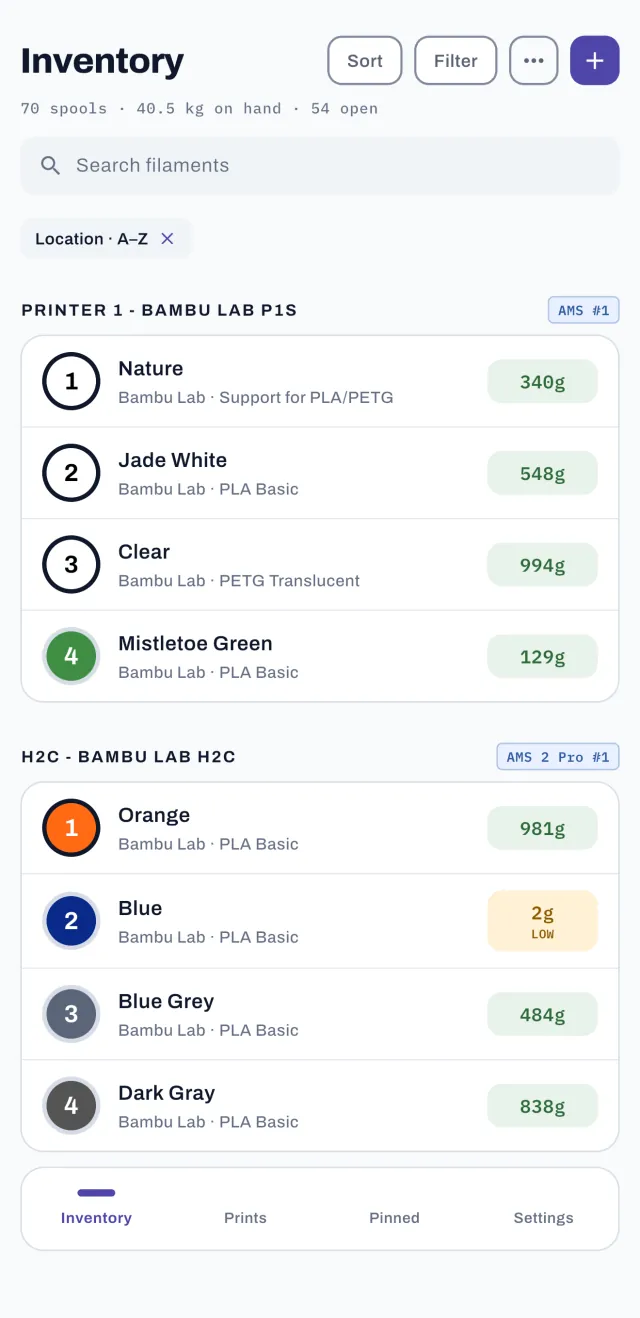
- AMS-slot organization — assign each spool to a printer and slot, so the app mirrors what's physically loaded. The AMS, AMS lite, AMS 2 Pro and AMS HT are all built in. Swap a spool, update the slot, done.
- Third-party spools are first-class — eSUN, Polymaker, Sunlu, Overture and the rest have preloaded spool weights too, so the spools your AMS can't identify are tracked just as precisely.
- Per-print deduction — log each print's grams (your slicer reports per-filament usage for multi-color prints) and every loaded spool's remaining weight updates straight away.
Common questions
My AMS says filament is remaining but the spool ran out. Why?
Usage-based estimates accumulate error: purge towers, prime lines, filament swaps and failed prints don't always get accounted the way you'd expect, and partial spools start the estimate wrong. Re-weighing the spool resets you to ground truth in under a minute.
How do I track third-party filament in the AMS?
Track the spool, not the slot. Catalog the spool by brand in SpoolVault, note which AMS slot it's loaded in, and log usage per print. RFID never enters the picture.
Does this work with Bambu Handy?
Bambu Handy controls the printer; it isn't an inventory system for your shelf. SpoolVault doesn't talk to the printer at all — it tracks the spools themselves, which is why it also covers the fifteen spools not currently loaded in the AMS.
Track your whole Bambu stash
Preloaded Bambu Lab catalog, AMS-slot organization, and weigh-based accuracy for every brand you print.


 On a computer?
Scan with your
phone camera.
Free for 30 days — no subscription starts · iOS 15+ & Android 7+
SpoolVault is an independent app and is not affiliated with, endorsed by, or connected to Bambu Lab. AMS, Bambu Lab and Bambu Handy are trademarks of their respective owners.